Tick Basket is a free, offline grocery list for anyone who shops weekly: type "milk, eggs, 2 kg rice" and items sort into aisles automatically.
| Price | Free, with ads. No in-app purchases |
|---|
| Ads | A banner on the lists overview, a list (hidden while the keyboard is open) and the history, and an occasional full-screen ad after you confirm Finish trip or return from a finished share; no ads on the item editor or import screen, and no reward videos. |
|---|
| Account | No account or sign-up |
|---|
| Works offline | Creating, editing, ticking, history and import all work without internet; only the ads need a connection. |
|---|
| Permissions | Internet and network state - to load ads and open links you tap (the network state permission comes from the ads SDK); Advertising ID - added by the Google Mobile Ads SDK for ads |
|---|
| Your data | The app itself sends nothing; a list leaves the phone only as plain text when you share it to an app you pick, and only the AdMob SDK sends data such as device identifiers for ads. |
|---|
| Storage | Lists, items, notes, prices, favourites, usage counts, trip history and settings are stored in the app's private storage on the phone; Settings > Delete all data removes them. Android's device backup may include them if the user has backup turned on. |
|---|
| Requires | Android 7.0 or later |
|---|
| Developer | GlowVibe |
|---|
| Updated | 2026-10-24 |
|---|
A grocery list by aisle: write it in seconds, walk the shop in order, and tick things off as they go in the basket.
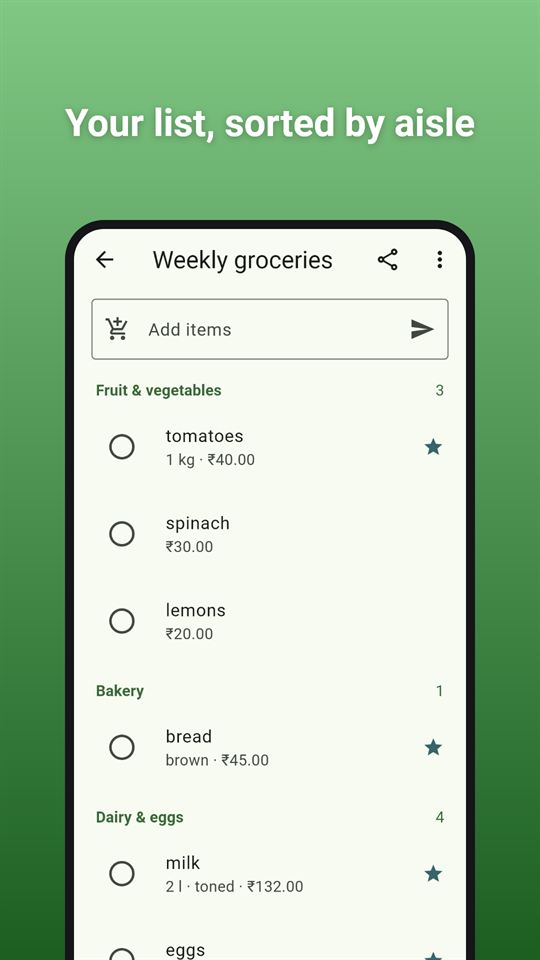
Tick Basket is a plain shopping list app that gets out of your way. Type a few items at once, separated by commas or on separate lines, and each one lands in its aisle: fruit and vegetables, dairy, bakery, frozen, household and so on. You can put the aisles in the order of your own shop, so your grocery list by aisle reads from the entrance to the till.
Type less
- Add several items in one go: "milk, eggs, 2 kg rice" becomes three lines with the quantity and unit filled in
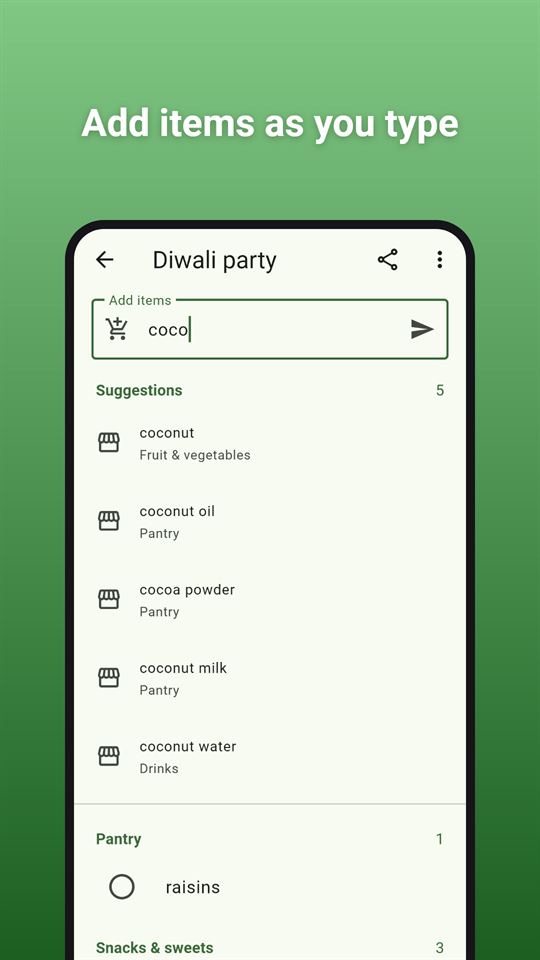
- Suggestions appear as you type, from a built-in list of a few hundred common groceries and household items and from everything you have added before (the things you buy most come first)
- The aisle is picked for you, which keeps the grocery list by aisle tidy without any sorting on your part; change it with a long-press if you like
In the shop
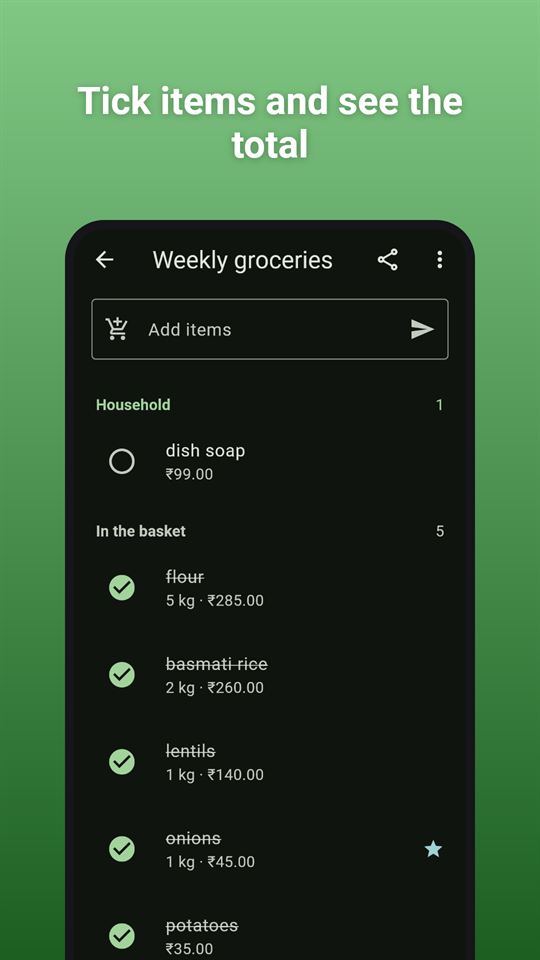
- Tap an item to tick it; ticked items drop into the basket section with a line through them
- Swipe an item away, with Undo if you did not mean it
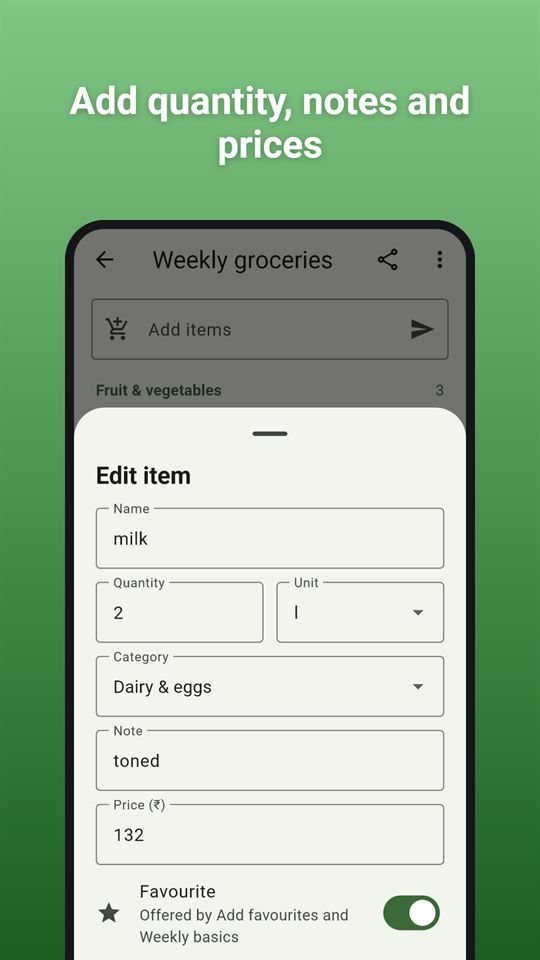
- Notes for the details ("the blue one"), quantities with the unit you want (pcs, kg, g, l, ml, pack and more; add your own)
- Optional prices: a grocery list with prices if you want one. Enter what things cost and see the total of what you have entered. There is no budget, no payments and no bank connection
Several lists, shared as text
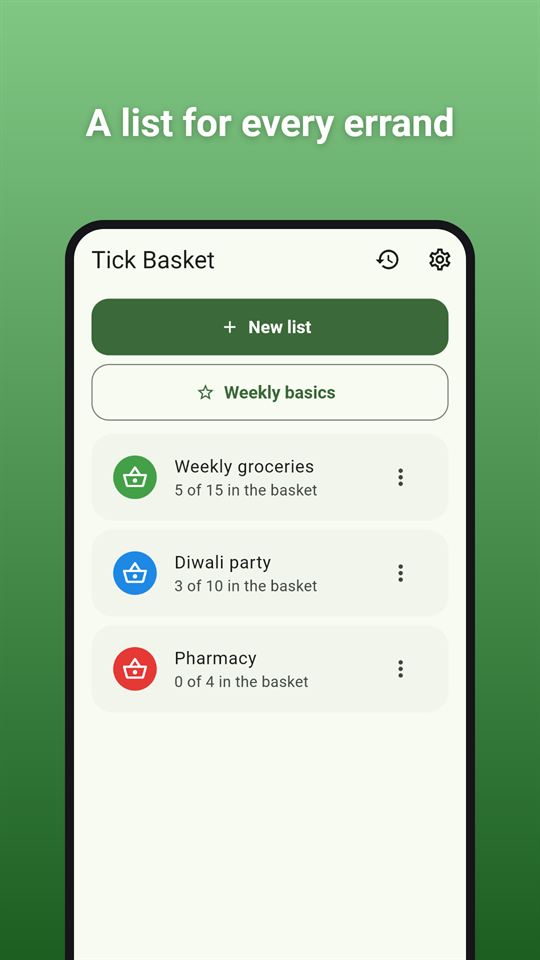
- Keep as many lists as you need, each with its own colour; rename, duplicate or delete them
- Send a list as plain text to any messaging app, grouped by aisle with quantities and ticks. The other person gets a copy of the text; lists do not sync between phones
- Paste a list back in from text, with a preview before anything is added
- Mark items as favourites and build a "Weekly basics" list from them in one tap, handy for the weekly grocery shopping list
When you are done
- Finish the trip to log it in History, then clear the list or keep its items for next time
Made to be easy to use
- Large tap targets, a light or dark theme, and an optional buzz when you tick something
- Works with screen readers: every tick button says which item it is for, and aisle headings are announced
- No account, no sign-up, and no internet needed for the lists themselves, so it works as an offline shopping list in a shop with poor signal
Everything stays on your phone
Your lists, favourites, history and settings are stored on your phone only. Tick Basket has no server, so nothing you type is sent to us. Delete all of it at any time in Settings.
Tick Basket is free and contains ads: a banner on the list screens and an occasional full-screen ad after you finish a trip or share a list. Nothing in the app is locked behind an ad.
Frequently asked questions
Is there a grocery list app that sorts items by aisle automatically?
Tick Basket puts each item you type into one of 16 aisle categories, such as produce, dairy or frozen, using a built-in list of 382 common items. You can drag the aisles into the order of your own shop and change an item's aisle by editing it.
Can I add several items to a shopping list at once?
Yes. In Tick Basket you can type "milk, eggs, 2 kg rice" and it becomes three items, with the quantity and unit filled in. Commas, semicolons and new lines all separate items, and suggestions appear as you type.
Is there a shopping list app that works offline with no account?
Tick Basket works without internet and without an account, so it is usable in a shop with poor signal. Lists, favourites and trip history are kept on your phone only; just the ads need a connection.
Is Tick Basket free?
Yes, Tick Basket is free and contains ads. There are no in-app purchases and no reward videos, and nothing is locked behind an ad. You see a banner on the list screens and an occasional full-screen ad after you finish a trip or share a list.
Can I share a Tick Basket list with someone?
Tick Basket shares a list as plain text, grouped by aisle with quantities and ticks, to any app you choose. The other person gets a copy; lists do not sync between phones. A pasted list can be imported back with a preview first.
How is Tick Basket different from other shopping list apps?
Tick Basket focuses on typing less: multi-item quick add, automatic aisles and suggestions ranked by what you buy most. It also logs finished trips in a history and builds a "Weekly basics" list from your favourites in one tap.
What data does Tick Basket collect?
Tick Basket itself collects nothing and has no server; your lists stay on your phone and leave it only when you share them. The Google AdMob SDK that shows the ads collects device identifiers and similar data, as described in the privacy policy.