Daily journal with lock: a private diary with writing prompts, tags and search.
Coming soon to Google Play
Quiet Pages is a free, offline daily journal with an optional PIN lock, 124 writing prompts, tags and search. No account, no cloud.
Good for:
writing a few lines a day in a private diary that stays on the phone
getting started with a daily writing prompt when you are stuck
keeping a journal behind a 4 to 6 digit PIN
finding old entries by word or tag, or seeing what you wrote on this day
exporting a journal as a plain text or Markdown file
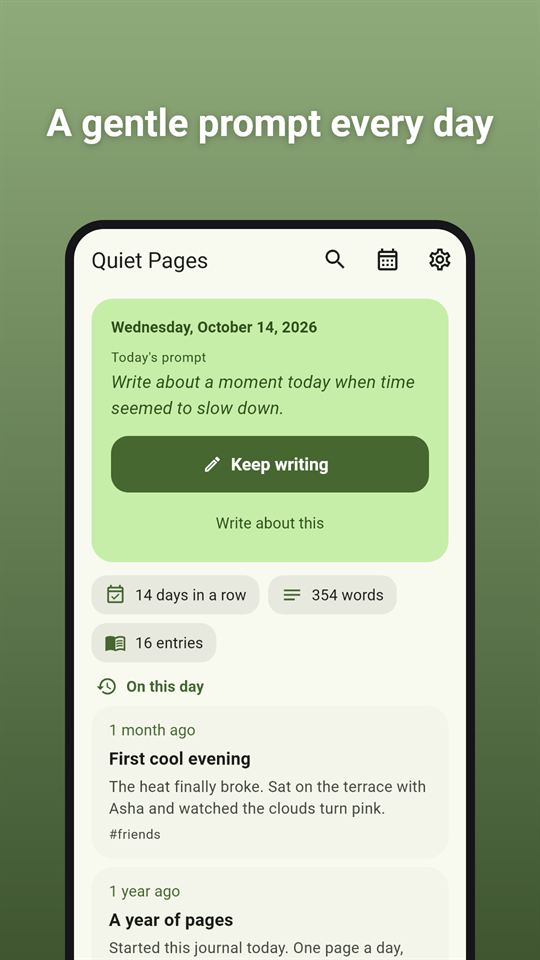
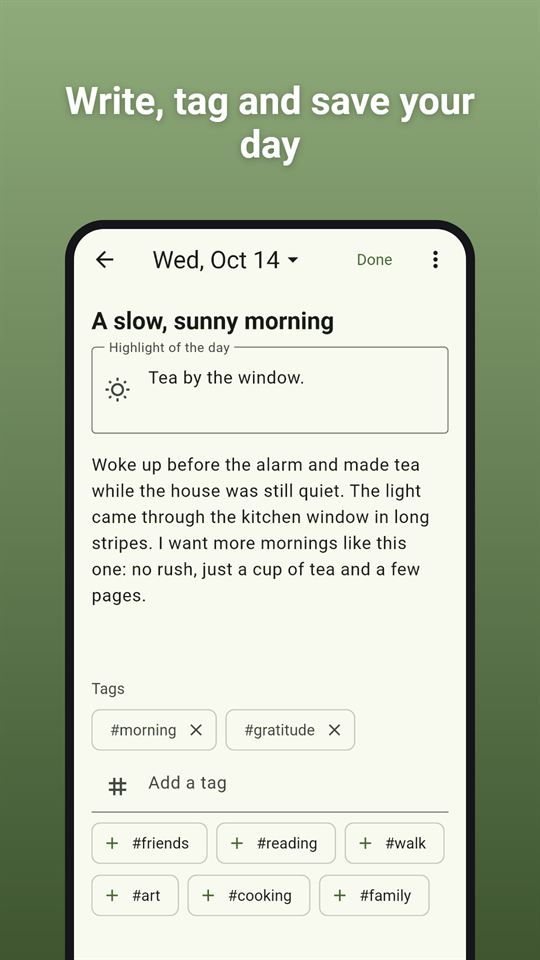
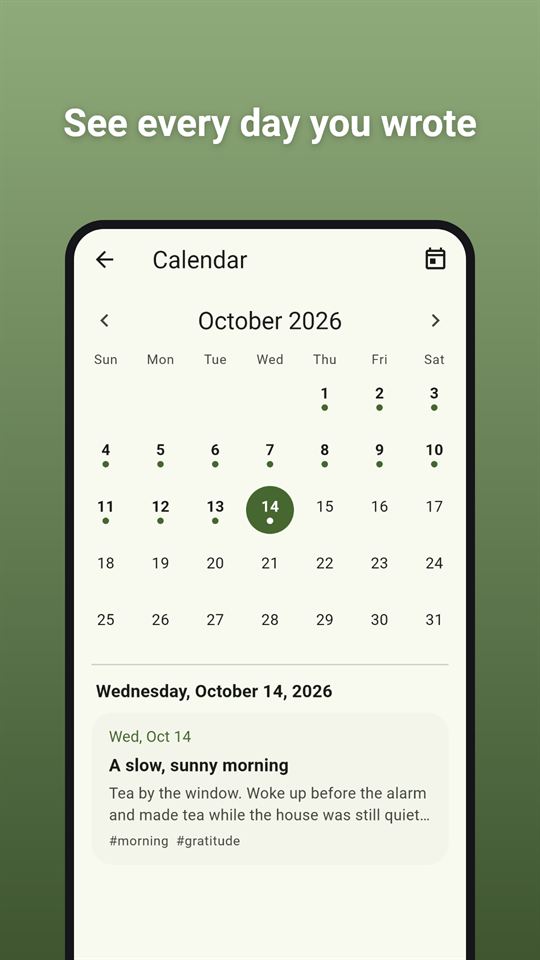
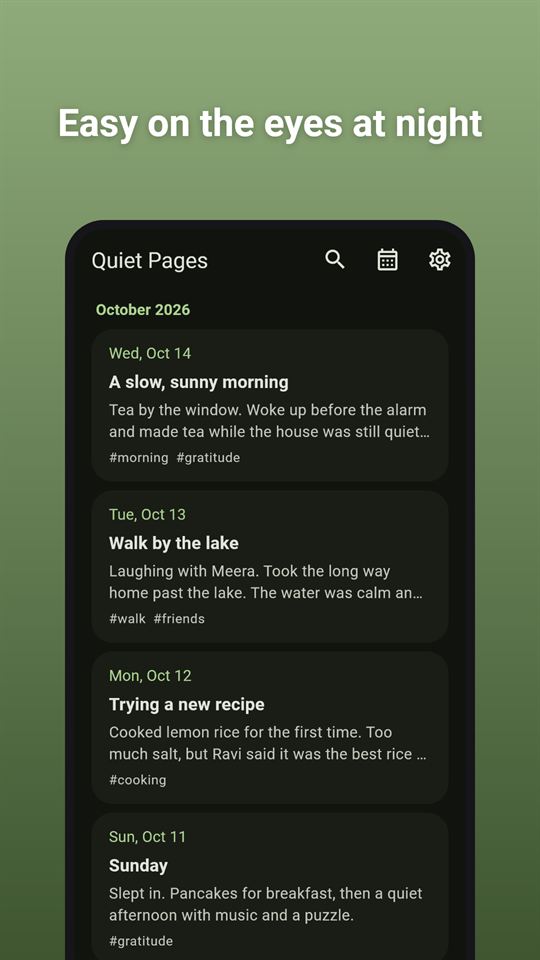
A gentle prompt every dayWrite, tag and save your daySee every day you wroteFind any page in secondsEasy on the eyes at night
At a glance
Price
Free, with ads. No in-app purchases
Ads
A banner at the bottom of the timeline and the calendar, and an occasional full-screen ad after Done on a new entry or after returning from a finished export share; never on the lock screen or editor, ads start only after unlock when a PIN is set, and there are no reward videos.
Account
No account or sign-up
Works offline
Writing, search, the calendar, export and the PIN lock all work without internet; only the ads need a connection.
Permissions
Internet and network state - to load ads and open links you tap (the network state permission comes from the ads SDK); Advertising ID - added by the Google Mobile Ads SDK for ads
Your data
The app itself never sends entries anywhere; an export file leaves the phone only through the share sheet when you choose, and only the AdMob SDK sends data such as device identifiers for ads.
Storage
Entries are JSON files in the app's private storage on the phone, and the PIN is kept only as a salted hash; entries are not encrypted. Android's device backup to the user's Google account may include them if backup is turned on.
Requires
Android 7.0 or later
Developer
GlowVibe
Updated
2026-10-24
A daily journal with lock, kept on your phone: a few lines a day, behind your own PIN if you want one.
Quiet Pages is a simple private journal for writing about your day. Open it, read today's prompt if you like, and write. It saves as you type, so nothing gets lost, and everything stays on your device: there is no account and no cloud.
Write
One page per day by default, which you can keep adding to all day. Prefer separate entries? Switch on "Several entries per day" in Settings
An optional title, an optional "highlight of the day" line, and as much plain text as you want
Tags for the things you come back to (#walks, #family, #recipes), with suggestions from tags you used before
A word count while you write
Saves automatically while you type and when you leave the page
Forgot a day? Pick any past date from the calendar and write it now
A journal with prompts for when you are stuck
A new writing prompt on the home screen every day
"Give me a prompt" adds a fresh one to your page whenever you want
Over 100 prompts about small joys, people, places, memories and plans. Light questions such as "What made you smile today?" or "Something you learned this week"
Look back
A timeline of every entry, newest first, grouped by month
A month calendar with a dot on every day you wrote
Search all your entries at once, with the matching words highlighted, and filter by tag
"On this day" shows what you wrote on the same date in earlier months and years
Your writing streak, the total number of words and entries
A private journal with lock
No account, no sign-up, no cloud. Your entries are saved in the app's own storage on your phone
Optional app lock with a 4 to 6 digit PIN, so it works as a journal with lock or as an open notebook, as you prefer. Choose when it locks again: right away, after 1 minute or after 5 minutes away
While the lock is on, the app can hide its contents from the recent-apps screen and from screenshots
Please note: a forgotten PIN cannot be recovered. The only way back in is to clear the app's data, which deletes your entries. The lock keeps other people out of the app; it does not encrypt your entries
Export
Export all your entries, or the ones between two dates, as a plain text or Markdown file, and save or send it with any app you choose.
Light and dark themes. An offline journal: writing, search and the lock work without an internet connection (ads need one).
If you have been looking for a diary with lock that keeps things simple and stays on your phone, Quiet Pages is a quiet place to start.
Quiet Pages is free and contains ads: a banner at the bottom of the timeline and the calendar, and an occasional full-screen ad after you finish a new entry with "Done". There are never ads on the lock screen or while you write.
Frequently asked questions
Is there a private journal app with a PIN lock and no account?
Quiet Pages is a daily journal with an optional 4 to 6 digit PIN lock and no account or cloud. Entries stay on your phone. The lock keeps people out of the app but does not encrypt entries, and a forgotten PIN can only be reset by clearing the app's data.
What journal app gives you a writing prompt every day?
Quiet Pages shows a new writing prompt on the home screen every day, and "Give me a prompt" adds another to your page at any time. It has 124 light prompts about small joys, people, places, memories and plans.
Is there a diary app that works offline?
Quiet Pages works fully offline: writing, search, the calendar, export and the PIN lock need no internet. Only the ads need a connection, and with a PIN set they do not start until you unlock the journal.
Is Quiet Pages free?
Yes, Quiet Pages is free and contains ads. There are no in-app purchases and no reward videos. You see a banner on the timeline and the calendar and an occasional full-screen ad after you finish a new entry, never while you write or on the lock screen.
Can I export my Quiet Pages journal?
Yes. Quiet Pages exports all entries, or the ones between two dates, as a plain text or Markdown file, and hands it to the share sheet so you can save or send it. Note that an exported file is not protected by the PIN.
How is Quiet Pages different from other journal apps?
Quiet Pages keeps everything on the phone with no account or cloud, and adds daily prompts, tags, an "On this day" view and a writing streak. While the lock is on it can hide its contents from the recent-apps screen and block screenshots.
What data does Quiet Pages collect?
Quiet Pages itself collects nothing; your entries never leave the phone unless you export them. Android's own backup may include them if you turned it on. The Google AdMob SDK that shows the ads collects device identifiers and similar data.