Fancy text generator: copy and paste your words in 40+ styles, frames, symbols.
Coming soon to Google Play
Fancy Text turns your words into 40+ copy-and-paste Unicode styles, frames, nicknames and symbols, and works from other apps' text selection menu.
Good for:
a stylish name or bio for a social profile, copied in one tap
a game nickname with symbols that fits a 12, 16 or 20 character limit
decorating a caption or message with frames, hearts or stars
copying kaomoji faces, arrows and divider lines
styling selected text inside another app without switching apps
Type once, see every styleStrike, underline and moreBubbles, squares and bracketsWide, small caps, upside downFrame your text in one tapMake a stylish nicknameTap a symbol to copy it
At a glance
Price
Free, with ads. No in-app purchases
Ads
A banner on the Styles, Decorations, Symbols and Saved screens (hidden while the keyboard is open) and an occasional full-screen ad when you switch tools after copying; none in the Nickname maker or selection-menu picker, and the pack-unlock videos are optional.
Account
No account or sign-up
Works offline
Styling, frames, nicknames, symbols and saved copies all work without internet; only ads need a connection.
Permissions
Internet - to load ads; Advertising ID - added by the Google AdMob SDK for ads; No other permissions; the app writes to the clipboard when you tap copy but never reads it
Your data
The app itself sends nothing and has no server; text from the selection menu is only handed back to that app, and only the Google AdMob SDK sends device and ad-interaction data for ads.
Storage
Your typed text, the last 50 copies, favourites, unlocked packs and settings are kept in the app's private storage on the phone; uninstalling deletes them.
Requires
Android 7.0 or later
Developer
GlowVibe
Updated
2026-10-24
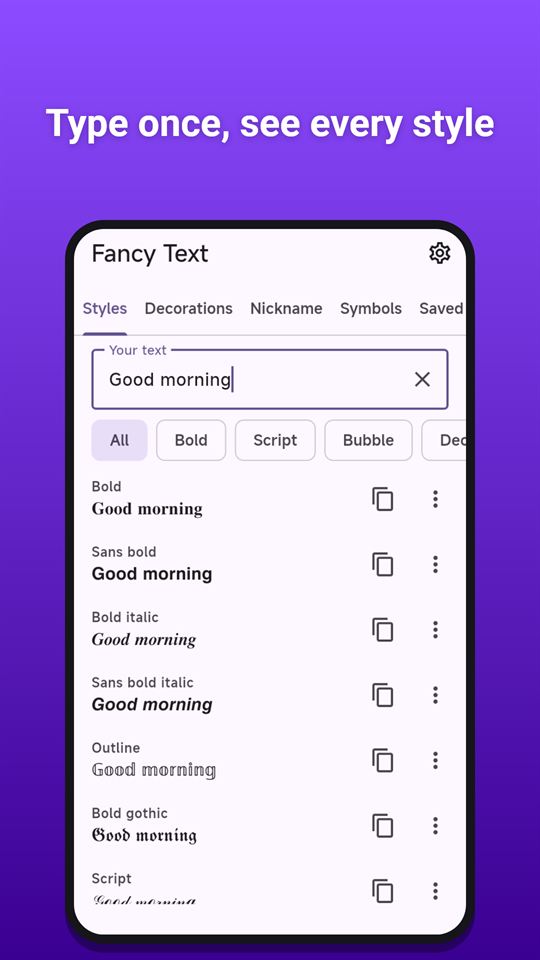
Fancy Text is a fancy text generator for names, bios and messages: write a word, a name or a whole sentence once and see it in dozens of stylish text styles at the same time. Tap a style to copy it, then paste it into a profile bio, a game nickname, a caption or a message.
Fancy Text works with Unicode characters, not with a custom font, so the styled text keeps its look in most apps that let you paste text. How it looks in the end depends on the fonts of the phone and the app you paste into; a few styles may show as plain letters or boxes in some places.
Styles
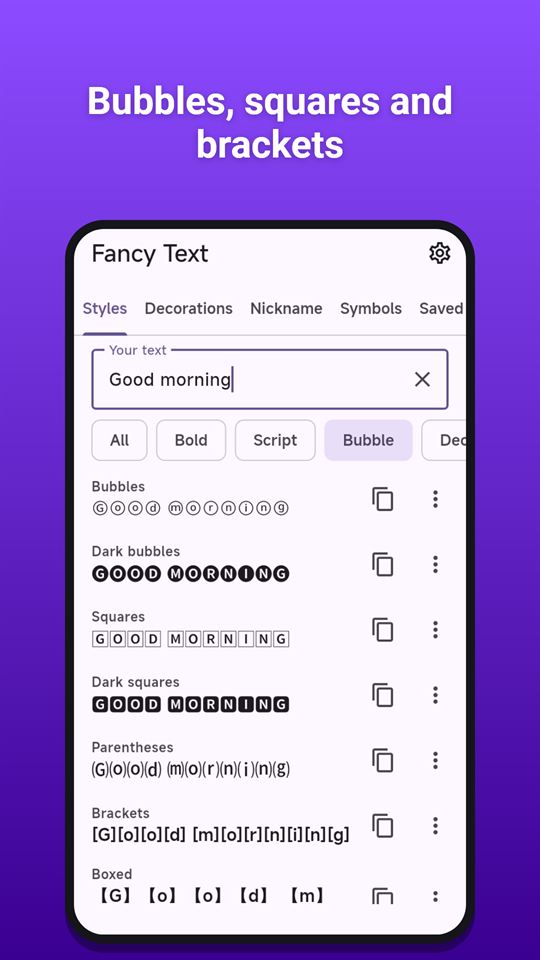
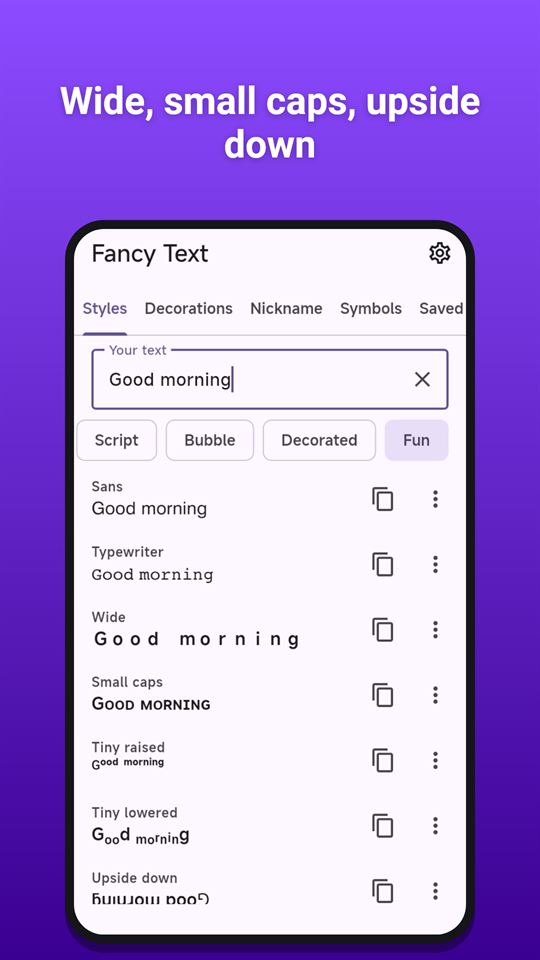
More than 40 styles: bold, italic, script, gothic, outline, sans, typewriter, bubbles, squares, parentheses, wide letters, small caps, tiny raised and lowered letters, upside down, mirrored, alternating case and spaced letters
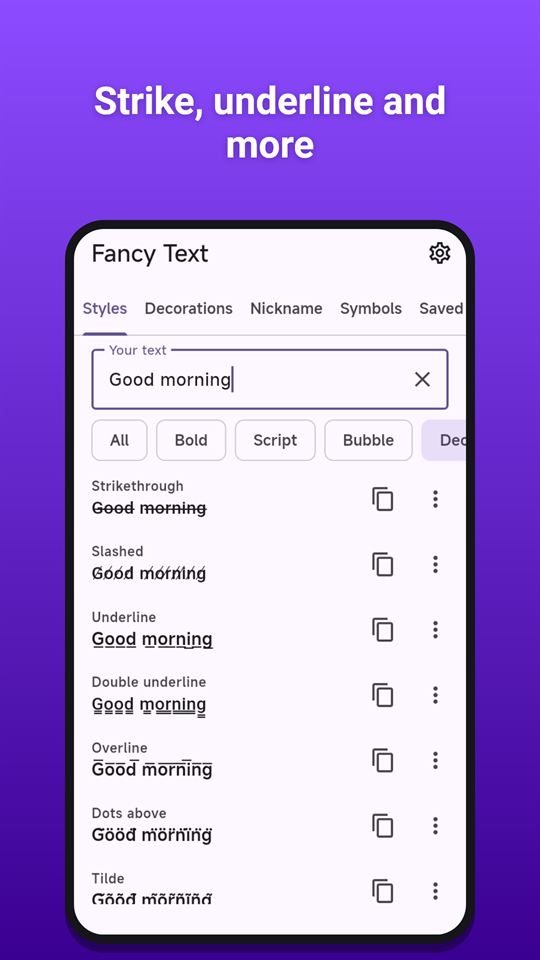
Lines and marks: strikethrough, underline, double underline, overline, slashed, tilde, dots, wavy and more
Little symbols between letters: hearts, stars and dots
Filter the list: Bold, Script, Bubble, Decorated and Fun
Emoji and accented letters stay intact; characters a style cannot change are kept as they are
Decorations
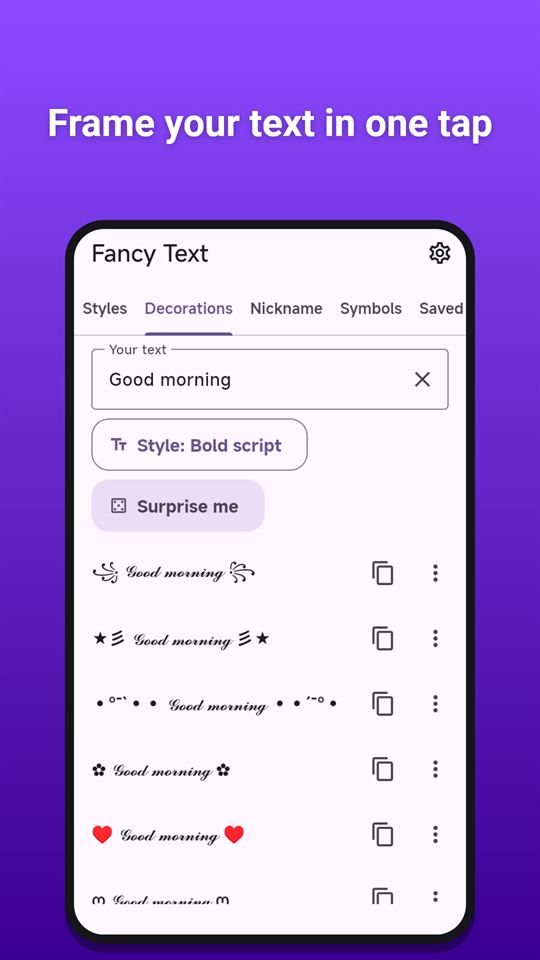
Put your text, in any style, inside more than 60 decorative frames: brackets, stars, hearts, sparkles, waves and wings
"Surprise me" picks a random style and frame
Nickname maker
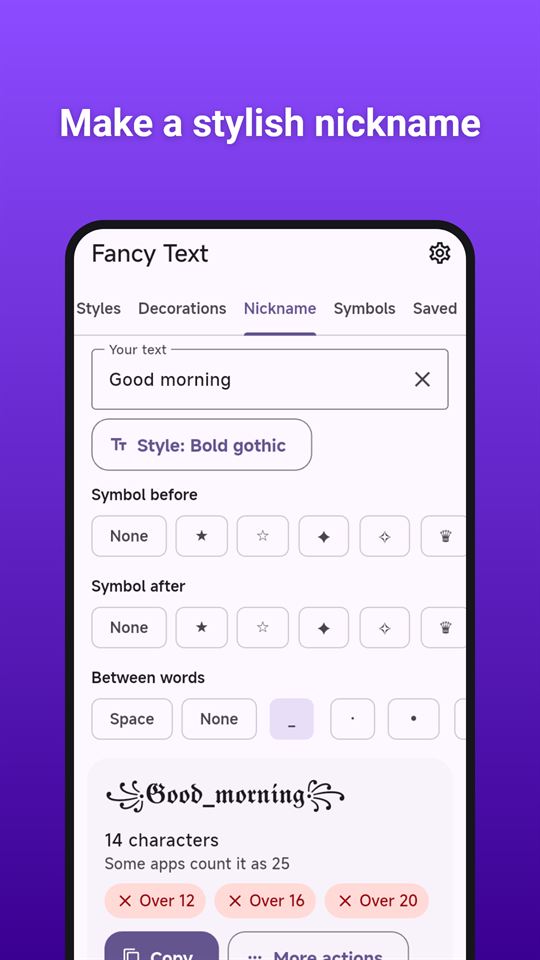
Make a stylish name for a game or a profile: choose a style, a symbol before and after, and what goes between words
See the length at once, counted as characters and the way some apps count fancy letters (as two), with a quick check against 12, 16 and 20 characters
Symbols
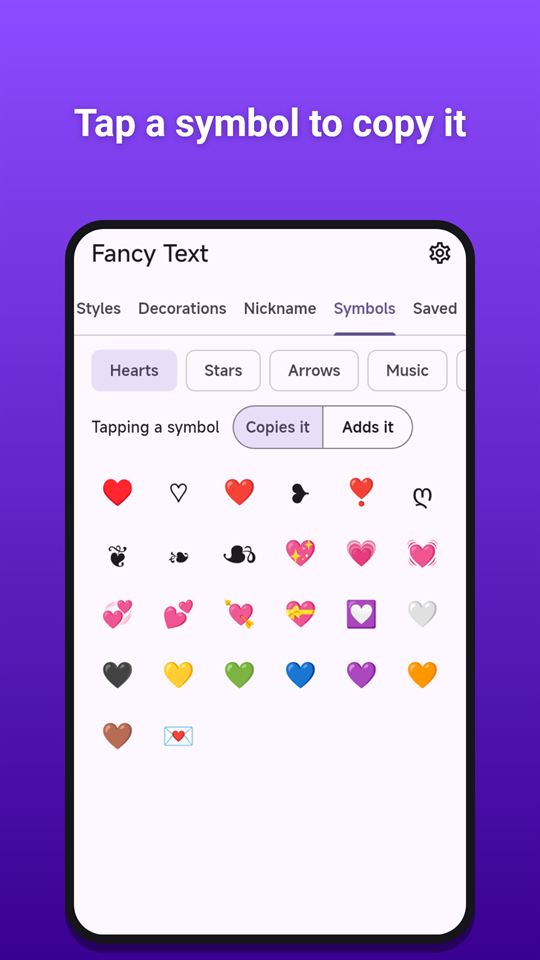
Text symbols to copy and paste: hearts, stars, arrows, music, weather, math, currency, brackets, more than 150 kaomoji faces and divider lines
Tap to copy, or switch to "Adds it" to build up your text symbol by symbol
Saved
Your last 50 copies, newest first, so you can copy them again
Keep the ones you like as favourites
From any app
Select some text in another app, choose "Fancy Text" in the selection menu (next to Copy and Paste), pick a style, and the styled text replaces your selection. Where the other app does not allow that, the styled text is copied instead. (The menu entry appears in apps that offer it; not every app does.)
A note on screen readers
Screen readers may read styled characters letter by letter, as symbol names, or not at all. Use styled text for decoration, not for information people need to understand. The app's own buttons and lists are labelled for screen readers.
Private
Everything you type into the fancy text generator stays on your phone. The app has no account and no server, and works offline (ads need a connection).
Fancy Text is free and contains ads: a banner at the bottom of the Styles, Decorations, Symbols and Saved screens (hidden while the keyboard is open), and an occasional full-screen ad when you switch to another tool after copying something. There are no ads in the Nickname maker or in the selection-menu picker. Three extra packs (Ornate styles, Glitch styles and Frames Pro) can be unlocked for good by watching an optional short video; everything else is free.
Frequently asked questions
How do I make fancy text for my profile bio?
Type your text once in Fancy Text and it shows in more than 40 Unicode styles at the same time, such as bold, script, gothic and bubbles. Tap one to copy it, then paste it into your bio. A few styles may show as boxes in some apps.
Is there an app to make a stylish game nickname with symbols?
Fancy Text has a nickname maker: choose a style, a symbol before and after, and what goes between words. It shows the length as characters and the way some apps count fancy letters, with a check against 12, 16 and 20.
Where can I copy kaomoji and text symbols?
Fancy Text has a Symbols tab with hearts, stars, arrows, music, weather, math, currency, brackets, divider lines and more than 150 kaomoji faces. Tap to copy, or switch to Adds it to build up text symbol by symbol.
Is Fancy Text free?
Yes, Fancy Text is free and contains ads, with no in-app purchases. Over 40 styles and over 60 frames are free; three extra packs (Ornate, Glitch and Frames Pro) unlock for good if you choose to watch a short video.
Does Fancy Text work inside other apps?
Yes. Select text in another app and pick Fancy Text in the selection menu, next to Copy and Paste. Choose a style and it replaces your selection, or is copied if that app is read-only. Not every app shows the menu entry.
Is Fancy Text a font changer?
No. Fancy Text uses Unicode characters, not a font, so styled text keeps its look in most apps you paste into. How it looks depends on the phone's fonts, and screen readers may read styled letters oddly, so use it for decoration only.
Does Fancy Text read my clipboard or collect what I type?
No. Fancy Text writes to the clipboard when you tap copy but never reads it, and everything you type stays on your phone. It has no server or account. Only the Google AdMob SDK uses data such as the advertising ID to show ads.