Photo resizer and compressor: set a size in KB, crop, convert or make a collage.
Coming soon to Google Play
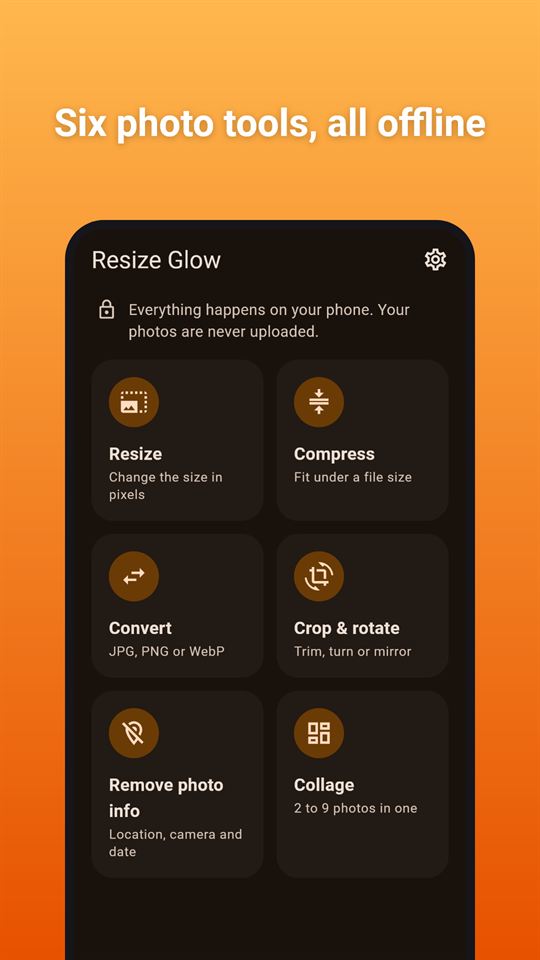
Resize Glow is a free Android photo resizer: compress to a size in KB, convert, crop, remove photo info or make a collage, all on the phone.
Good for:
getting a photo under a form's upload limit, such as 200 KB
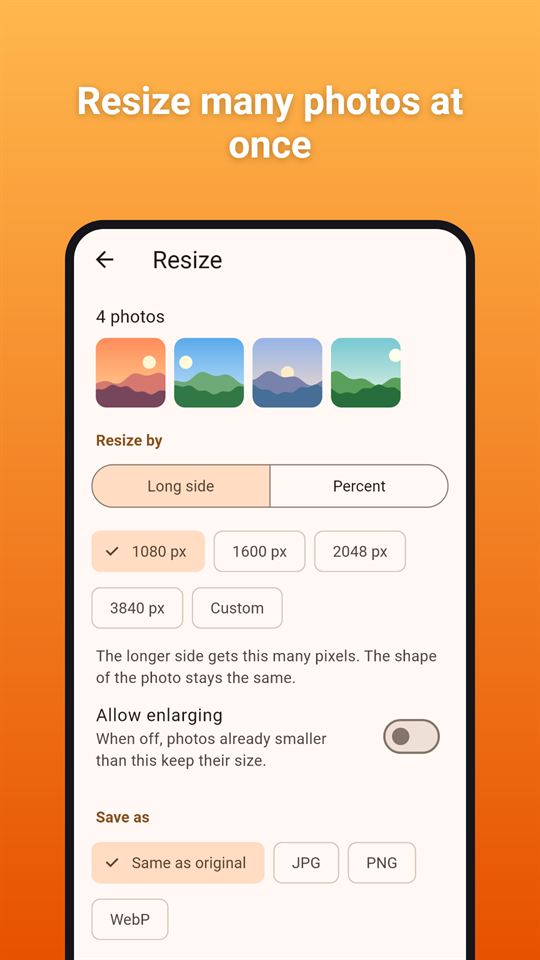
resizing many photos to 1080 or 2048 pixels at once
removing the location from a photo before sending it
turning photos into JPG, PNG or WebP
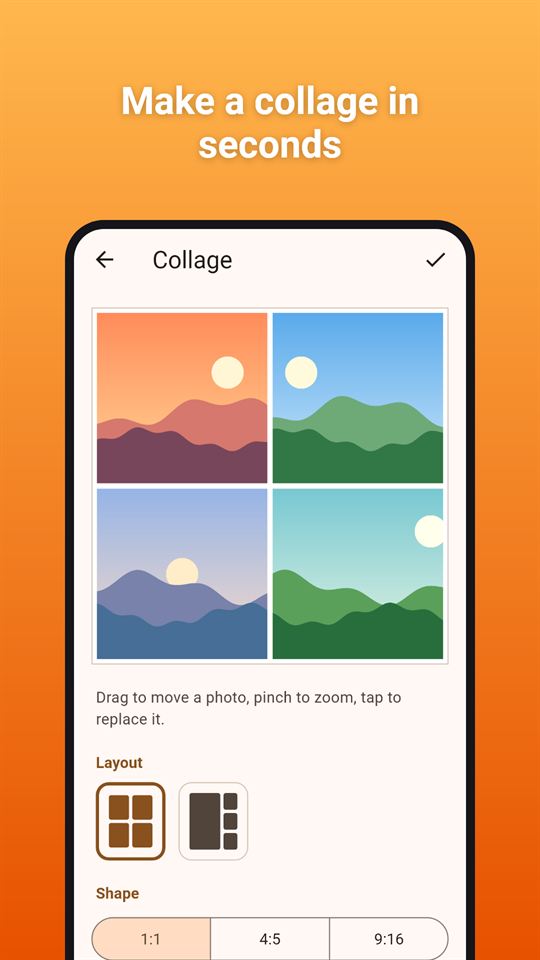
putting 2 to 9 photos into one collage
Resize many photos at onceSee how much space you saveFit photos under a file sizeCrop, rotate and mirrorMake a collage in secondsSix photo tools, all offline
At a glance
Price
Free, with ads. No in-app purchases
Ads
A banner on the home and results screens and an occasional full-screen ad after you save or share photos; no ads while editing or processing, and no reward videos.
Account
No account or sign-up
Works offline
Every tool (resize, compress, convert, crop, remove photo info, collage) works without internet; only ads need a connection.
Permissions
Internet - to load ads and open the privacy policy; photos are never sent; Storage (Android 7 to 10 only) - asked for only when you tap Save, to add photos to the gallery; No photo or media read permission - you pick photos in Android's photo picker; Advertising ID - added by the Google AdMob SDK for ads
Your data
The app itself uploads nothing: photos are processed on the phone and leave it only when you tap Share; the Google AdMob SDK sends device and ad data to show and measure ads.
Storage
Working copies sit in the app's private temporary folder and are deleted when you leave the results or restart the app; saved photos go to a "Resize Glow" album in your gallery; settings stay on the phone.
Requires
Android 7.0 or later
Developer
GlowVibe
Updated
2026-10-24
A photo resizer that gets pictures to the size you need: a form that only accepts files under 200 KB, a website that wants 1080 pixels, a chat that should not carry where you took the picture.
Resize Glow is a photo resizer, compressor and collage maker that works on your phone. Your photos are not uploaded anywhere, and the app only sees the photos you pick.
Tools
Resize: choose the long side in pixels (1080, 1600, 2048, 3840 or your own number) or a percentage. The shape of the photo stays the same, and small photos are never stretched unless you switch that on
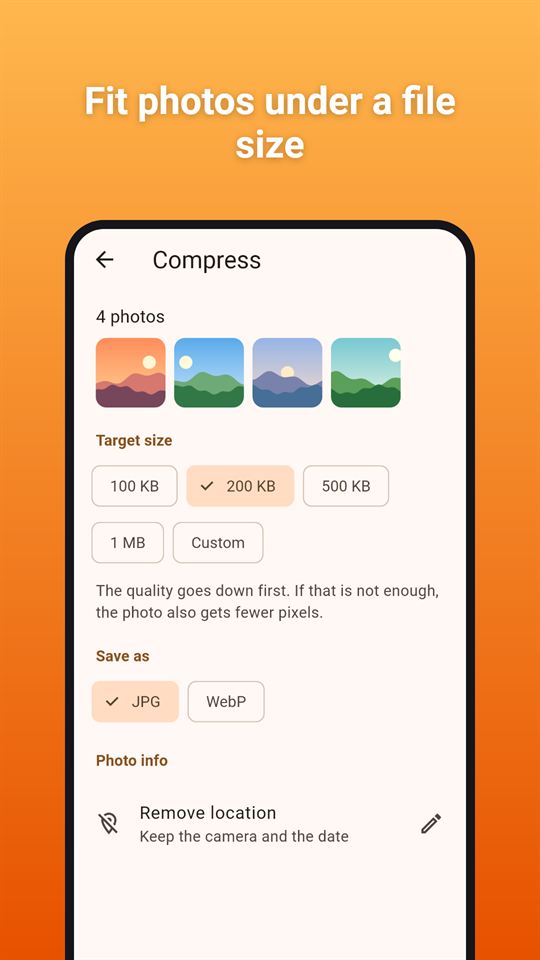
Compress to a size in KB: pick a target such as 100 KB, 200 KB, 500 KB or 1 MB, or type your own. The app lowers the quality step by step and, only if that is not enough, the number of pixels. If a target cannot be reached, it tells you
Convert: save as JPG, PNG or WebP. HEIC photos work when your phone can open them. The app warns you when PNG would make files bigger
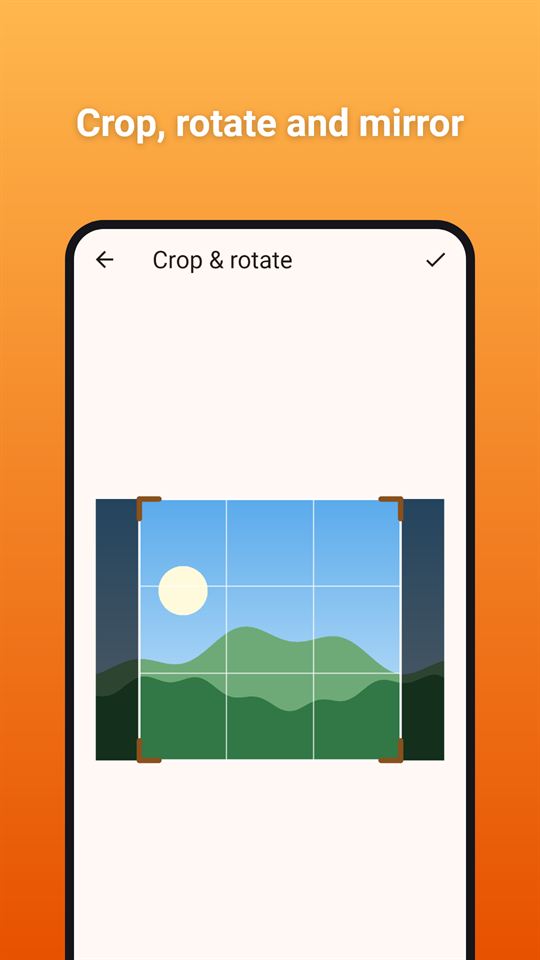
Crop & rotate: drag the frame, choose a shape (free, 1:1, 4:5, 3:2, 16:9 or 9:16), turn the photo or mirror it. The crop is made from the full-size photo
Remove photo info (EXIF data): for JPG photos, see what a photo carries (location, camera, date taken) and remove it. The picture itself is left exactly as it was; only the hidden information goes. Photos in other formats are saved again without it
Collage maker: put 2 to 9 photos together in a layout that fits how many you picked (13 layouts in all), square, 4:5 or 9:16. Move and zoom each photo in its frame, set the spacing, round the corners and pick a background colour. Collages are saved at 2048 pixels on the long side
Batch resize: many photos at once
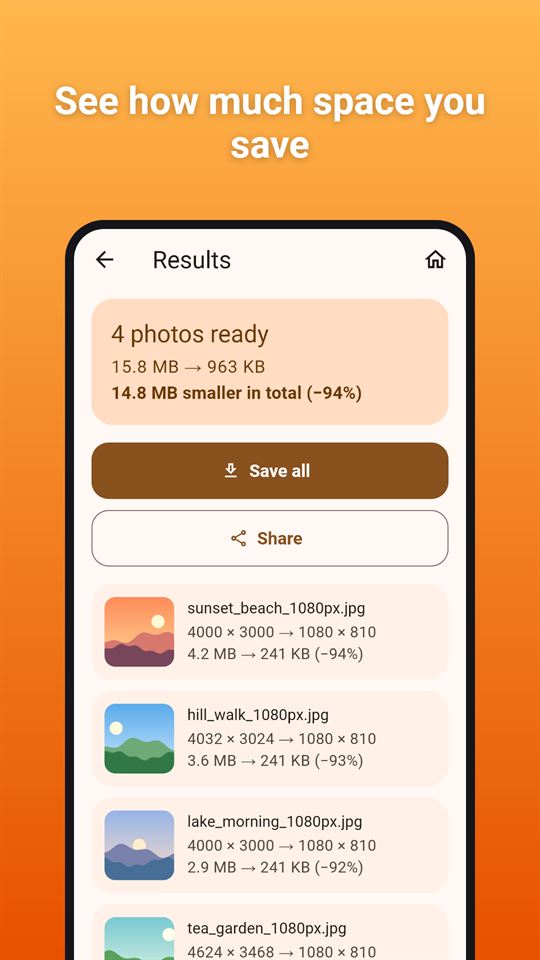
Resize, compress, convert or clean up to 30 photos in one go. A progress bar shows how far along it is, and you can cancel at any time.
See what changed
The results show each photo's size before and after, in pixels and in KB or MB, and how much space you saved in total. Save them all to an album in your gallery, or share them straight to another app.
Your choices are remembered
Set your usual format, JPG and WebP quality, and what happens to photo information in JPG copies (by default the location is removed and the camera and date are kept) in Settings, so the photo resizer starts the way you like it next time.
Good to know
Android's photo picker can hide a photo's location from apps, so the app may show "none found" even when your gallery app shows a place
Finished photos stay in the app's temporary folder only until you leave the results; save or share them first
Resize Glow is free and contains ads: a banner on the home and results screens, and an occasional full-screen ad after you save or share your photos. There are no ads while you edit or while your photos are being processed.
Frequently asked questions
How do I compress a photo to under 200 KB on Android?
Resize Glow compresses a photo to a target size you choose, such as 100 KB, 200 KB, 500 KB, 1 MB or your own number. It lowers the quality step by step and, only if needed, the pixels, and tells you if a target cannot be reached.
Is there a photo resizer app that does not upload my photos?
Resize Glow resizes, compresses, converts and crops photos on your phone and never uploads them. It only sees the photos you pick in Android's photo picker, and it can batch up to 30 photos at once.
How can I remove the location from a photo before sharing it?
Resize Glow's Remove photo info tool shows what a JPG carries (location, camera, date) and removes it without changing the picture itself. Photos in other formats are saved again without the info.
Is Resize Glow free?
Yes, Resize Glow is free and contains ads: a banner on the home and results screens and an occasional full-screen ad after you save or share. There are no in-app purchases and no ads while you edit or process photos.
Can Resize Glow make a photo collage?
Yes. Resize Glow's collage maker combines 2 to 9 photos in 13 layouts, in square, 4:5 or 9:16. You can move and zoom each photo, set spacing, round corners and pick a background colour; collages are saved at 2048 pixels.
How is Resize Glow different from other photo resizer apps?
Resize Glow combines resize, compress to KB, convert, crop, photo-info removal and collage in one app, and does all of it on the phone. It needs no permission to read your gallery and shows the size before and after for every photo.
What data does Resize Glow collect?
Resize Glow itself collects nothing and never uploads your photos; working copies are deleted when you leave the results. Only the Google AdMob SDK collects device and ad data to show ads.