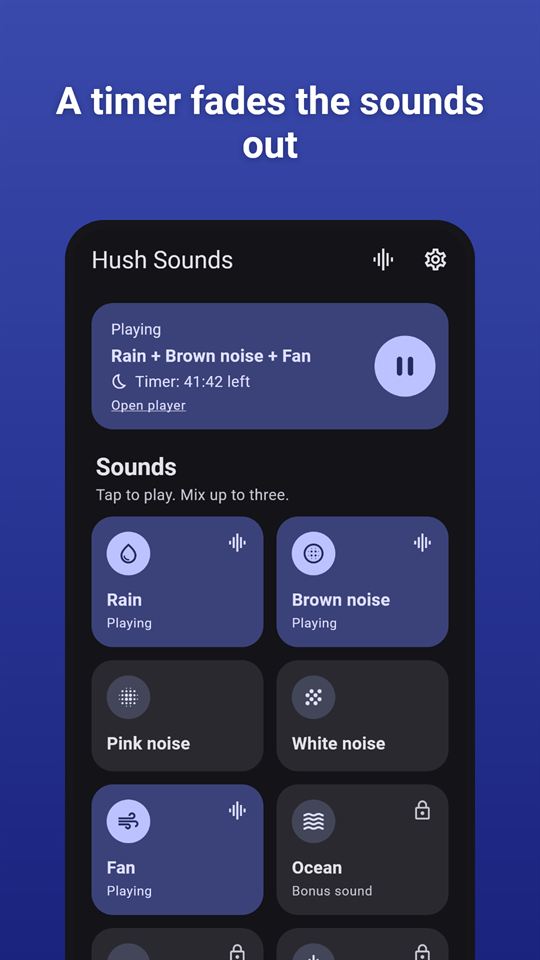
Hush Sounds plays white noise, fan, rain and other steady sounds for sleep or focus, with a 3-sound mixer, sleep timer and no account.
| Price | Free, with ads. No in-app purchases |
|---|
| Ads | A banner on the home screen and an occasional full-screen ad after you tap Stop in the player and return home; no ad plays while sound is playing or when the timer ends, and reward videos for 24-hour bonus sounds are optional. |
|---|
| Account | No account or sign-up |
|---|
| Works offline | All eight sounds are files inside the app, so playback, mixes and the sleep timer work without internet; only ads need a connection. |
|---|
| Permissions | Internet - to load ads and open the privacy page; sounds play without it; Foreground service (media playback) and wake lock - keeps sounds and the sleep timer running with the screen off; Notifications (Android 13+) - only to show playback controls, asked when you tap Allow in the player; playback works without it; Advertising ID - added by the Google AdMob SDK for ads |
|---|
| Your data | The app itself sends nothing and has no server; only the Google AdMob SDK sends device and ad-interaction data to show and measure ads. |
|---|
| Storage | Saved mixes, the last mix, settings and bonus-unlock times are kept in the app's private storage on the phone; uninstalling deletes them. |
|---|
| Requires | Android 7.0 or later |
|---|
| Developer | GlowVibe |
|---|
| Updated | 2026-10-24 |
|---|
Hush Sounds plays white noise, a soft fan, rain and other steady, calm background sound: waves, a stream, a low drone, and pink or brown noise. Many people like a steady sound to fall asleep to, to cover a noisy street, or to settle into work. Pick one, or mix your own.
The sounds
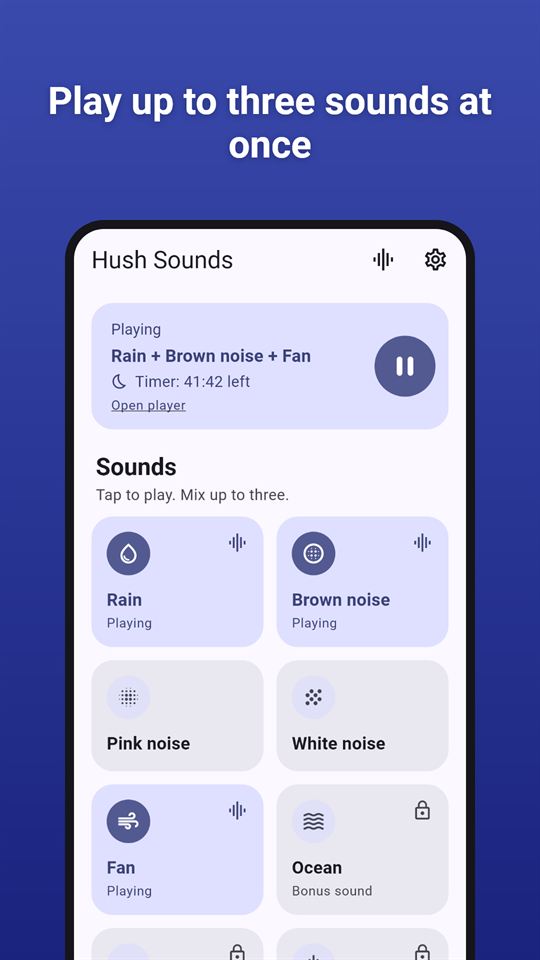
- Rain, Fan, White noise, Pink noise and Brown noise, free to play any time
- Ocean, Stream and Soft drone as bonus sounds: watch a short video to unlock one for 24 hours
- Every sound is a long, seamless loop with no gap or click where it repeats
- Every sound is synthesized for this app (generated, not recorded), and none comes from a sound library
Mix your own
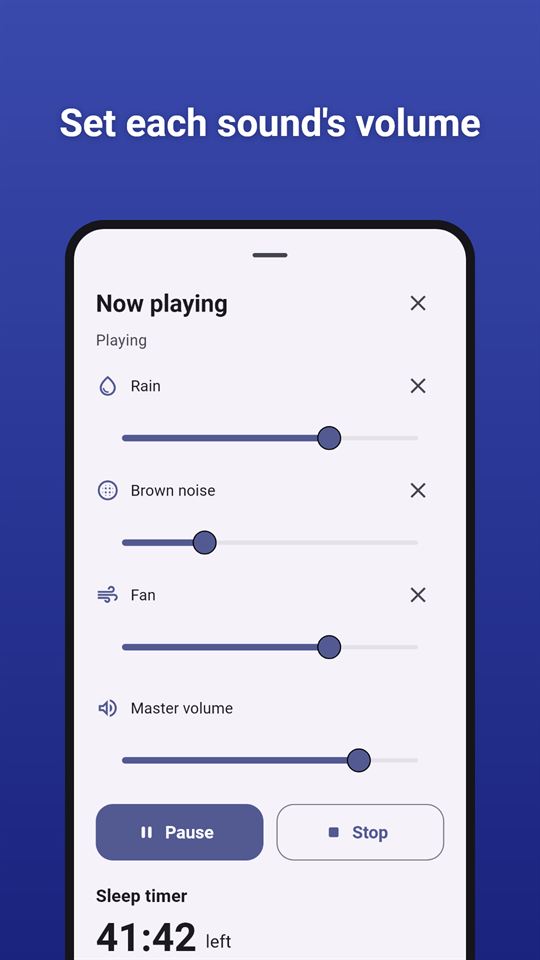
- A simple sound mixer: play up to three sounds at once, each with its own volume, plus a master volume
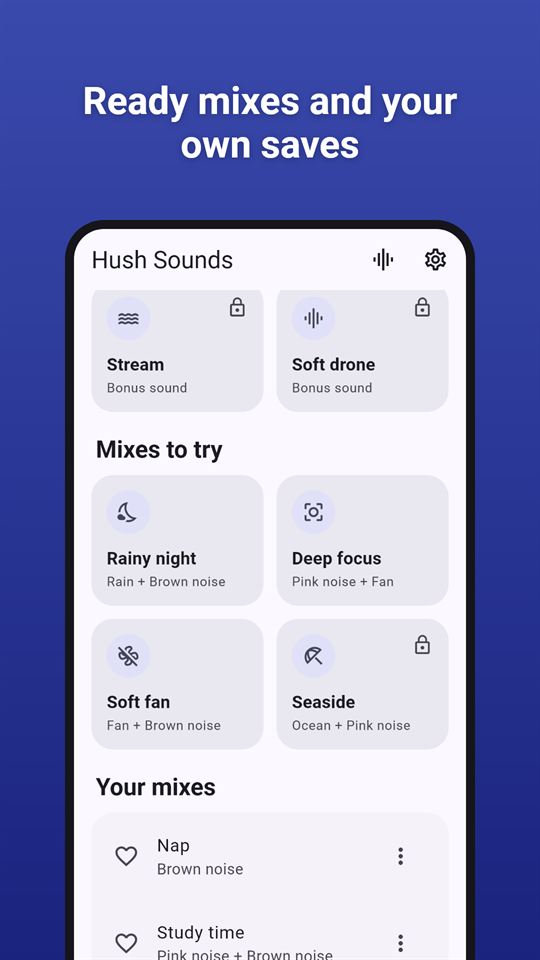
- Start from a ready-made mix: Rainy night, Deep focus, Soft fan or Seaside
- Save a mix under your own name and play it again with one tap
Sleep timer
- 15, 30, 45, 60 or 90 minutes, or any length from 5 minutes to 8 hours
- The sound fades out gently over the last 30, 45 or 60 seconds, then stops by itself
- Set a default timer that starts whenever you press play, so white noise or fan noise never runs all night unless you want it to
- The timer keeps counting with the screen off
Plays in the background
- Keep listening with the screen off or while you use other apps
- Pause, play and stop from the notification and the lock screen
- Pauses for phone calls and comes back afterwards; pauses when headphones are unplugged
- Optional: start at a gentle volume that rises over 10 seconds
- Optional: keep playing when another app plays audio
Made for night use
- A dark theme that is easy on the eyes, and a light theme too
- Large buttons, and every control works with screen readers
Everything stays on your phone
No account and no sign-up. The sleep sounds are inside the app, so every sound plays without an internet connection (ads need one). Your mixes and settings are kept on your phone only.
Hush Sounds is free and contains ads: a banner on the home screen and, now and then, a full-screen ad after you tap Stop in the player and go back to the home screen. There is never an ad while sound is playing, never on the player, and never when the sleep timer ends. Videos for bonus sounds only play if you choose to watch one.
Frequently asked questions
Is there a white noise app that works offline with no account?
Hush Sounds plays white, pink and brown noise, fan, rain and three more sounds with no account or sign-up. All eight sounds are stored inside the app, so they play without internet; only the ads need a connection.
Can I set a sleep timer that fades the sound out?
Yes. Hush Sounds has a sleep timer with 15, 30, 45, 60 and 90 minute presets or any length from 5 minutes to 8 hours. The sound fades out over the last 30, 45 or 60 seconds, then stops by itself, even with the screen off.
Is there an app to mix rain and fan sounds together?
Hush Sounds lets you mix up to three sounds at once, each with its own volume, plus a master volume. You can start from ready-made mixes such as Rainy night or Soft fan and save your own mixes under a name.
Is Hush Sounds free?
Yes, Hush Sounds is free and contains ads. Rain, fan, white, pink and brown noise are always free; ocean, stream and soft drone unlock for 24 hours if you choose to watch a short video. There are no in-app purchases.
Does Hush Sounds keep playing with the screen off?
Yes. Hush Sounds keeps playing in the background with the screen off or while you use other apps, with pause, play and stop in the notification and on the lock screen. It pauses for phone calls and when headphones are unplugged.
How is Hush Sounds different from other sleep sound apps?
Hush Sounds keeps things small: eight sounds generated for the app as seamless loops, a mixer of up to three, and a sleep timer with a fade-out. Ads never play while sound is playing or when the timer ends, and it needs no account.
What data does Hush Sounds collect?
Hush Sounds itself collects nothing and has no server. Your mixes and settings stay in the app's storage on your phone. It never uses the microphone. Only the Google AdMob SDK uses data such as the advertising ID to show ads.