Spend Glow icon

Spend Glow: Expense Tracker

Expense tracker with monthly budgets and reports. Works offline, no bank link.

Coming soon to Google Play

Spend Glow is an offline expense tracker with monthly and category budgets, recurring entries, reports and CSV export. No account, no bank link.

Good for:

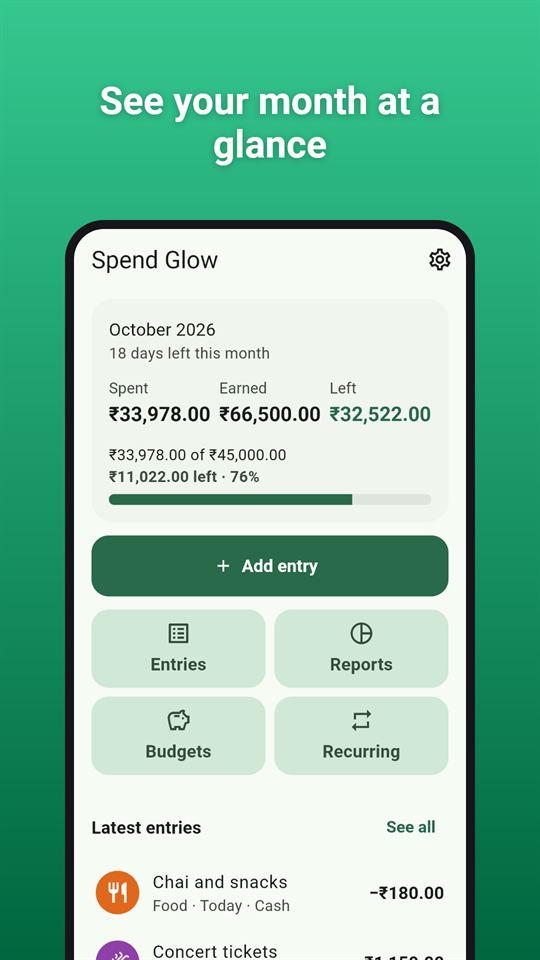
Spend Glow: See your month at a glance
See your month at a glance
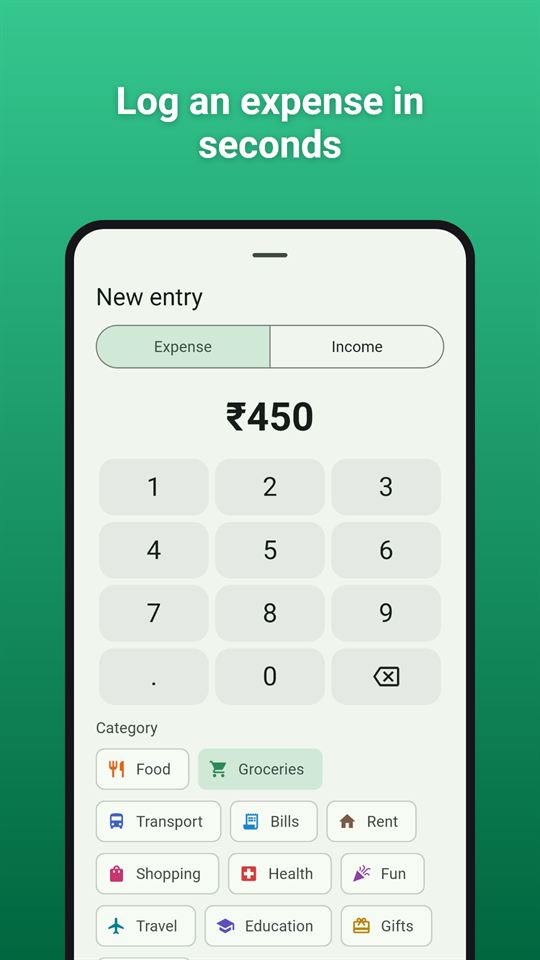
Spend Glow: Log an expense in seconds
Log an expense in seconds
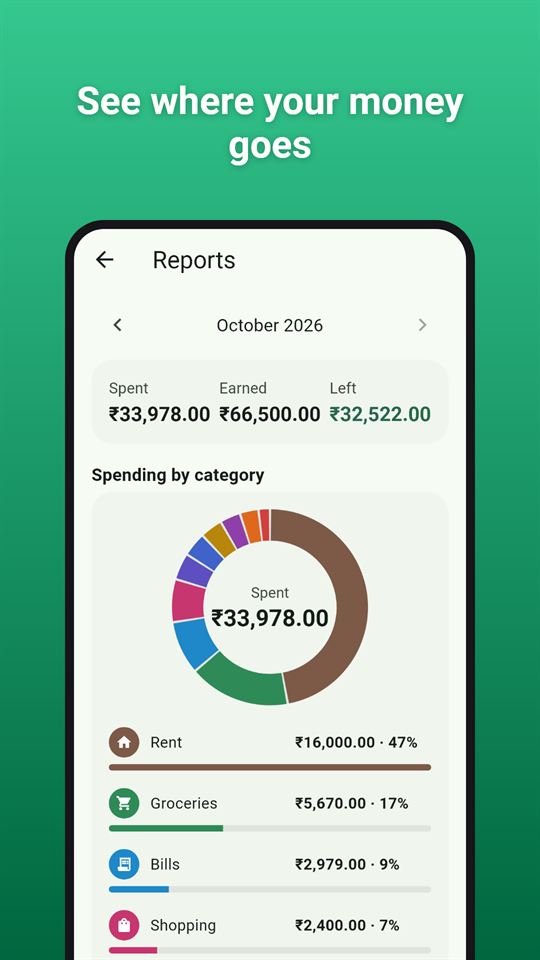
Spend Glow: See where your money goes
See where your money goes
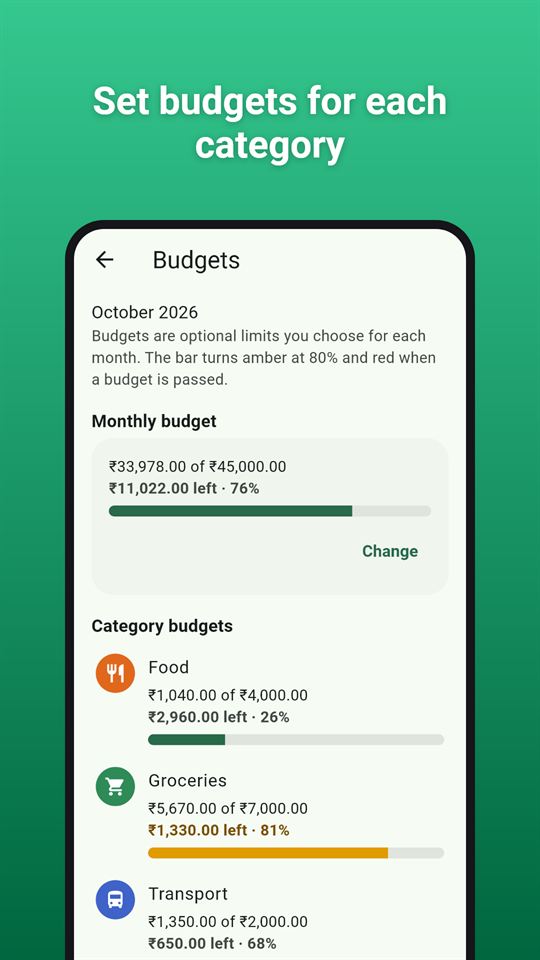
Spend Glow: Set budgets for each category
Set budgets for each category
Spend Glow: Review each month's spending
Review each month's spending
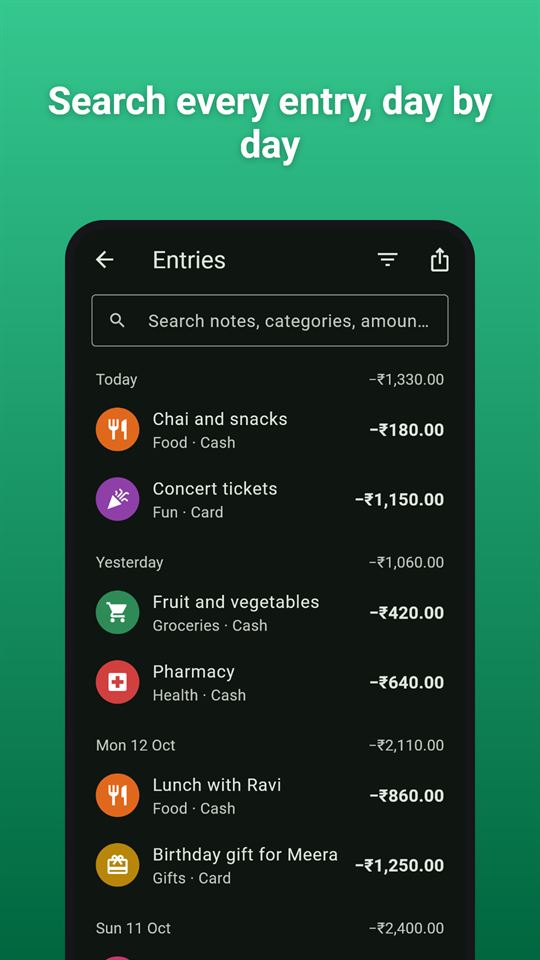
Spend Glow: Search every entry, day by day
Search every entry, day by day

At a glance

PriceFree, with ads. No in-app purchases
AdsA banner on the Home, Entries, Reports and Budgets screens and an occasional full-screen ad after Done in Month in review or after returning from a CSV export; never while adding or editing an entry, and there are no reward videos.
AccountNo account or sign-up
Works offlineLogging, budgets, recurring entries, reports and CSV export all work without internet; only ads need a connection.
PermissionsInternet - to load ads; Advertising ID - added by the Google AdMob SDK for ads; No SMS, contacts, notifications, storage or location permission
Your dataThe app itself sends nothing and connects to no bank; a CSV file leaves the phone only when you export and share it, and only the Google AdMob SDK sends device and ad-interaction data for ads.
StorageEntries, categories, budgets, recurring entries and settings are kept in the app's private storage on the phone; Android may include it in your own device backup if backup is on.
RequiresAndroid 7.0 or later
DeveloperGlowVibe
Updated2026-10-24

Spend Glow is a simple, private expense tracker that works offline. Type an amount, pick a category, done. Each month shows what you spent, what came in and what is left, and the reports show where it went.

Quick to log

Categories your way

Twelve ready-made spending categories (food, groceries, transport, bills, rent, shopping, health, fun, travel, education, gifts, other) plus salary and other income. Add your own, rename them, choose an icon and colour, hide the ones you never use and drag them into your own order. When you delete a category that is in use, you choose where its entries go.

Monthly budgets

Set an optional monthly budget for all spending and for any category, and the app works as a budget tracker too. Each budget has a progress bar that turns amber at 80% and red once the budget is passed. Paid mid-month? Let each budget month start on your payday (any day from the 1st to the 28th).

Recurring entries

Rent, subscriptions, salary: set them once to repeat every day, week, month or year. Due entries are added when you open the app, missed months included, and are marked with a small repeat badge. Dates such as the 31st fall on the last day of shorter months. Pause or delete a recurring entry at any time.

Spending reports

Find anything

Every entry in one list, grouped by day, with search and filters by type, category, payment method and dates. Swipe an entry away to delete it, with Undo.

Export to a spreadsheet

Take your records out of the expense tracker: export this month, last month, this year, everything or your own date range as a CSV file and send it where you like. The file opens in Excel, Google Sheets and LibreOffice.

Your currency

The currency follows your phone's region at first and can be changed in Settings, along with the number format (1,234.56 / 1.234,56 / 1 234,56 / 12,34,567.89).

Private by design

An expense tracker with no account, no sign-up, no bank connection and no SMS reading. Everything you enter stays on your phone, and the app works without an internet connection (ads need one).

Spend Glow is free and contains ads: a banner on the home, entries, reports and budgets screens, and an occasional full-screen ad after you finish a month review or come back from an export. There are never ads while you add or edit an entry.

Spend Glow is a record-keeping tool. It does not give financial advice.

Frequently asked questions

Is there an expense tracker that works offline without linking a bank account?

Spend Glow is an expense tracker with no bank connection, no SMS reading and no account. You type each amount yourself, and logging, budgets and reports all work without internet; only the ads need a connection.

Can I set a monthly budget that starts on my payday?

Yes. Spend Glow lets each budget month start on any day from the 1st to the 28th. You can set a budget for all spending and for any category, and each progress bar turns amber at 80% and red once the budget is passed.

How can I export my expenses to a spreadsheet from my phone?

Spend Glow exports this month, last month, this year, everything or your own date range as a CSV file, which you then send through the share sheet. CSV opens in common spreadsheet apps.

Is Spend Glow free?

Yes, Spend Glow is free and contains ads. There are no in-app purchases and no reward videos, so budgets, reports, recurring entries and CSV export are all included. Ads never appear while you add or edit an entry.

Does Spend Glow handle recurring bills like rent and subscriptions?

Yes. In Spend Glow a recurring entry repeats every day, week, month or year. Due entries are added when you open the app, missed months included, and a date like the 31st falls on the last day of shorter months.

How is Spend Glow different from other expense tracker apps?

Spend Glow keeps everything on your phone: no account, no bank link and no SMS access. It focuses on fast manual logging, with a number pad that opens at once and your last category already picked. It gives no financial advice.

What data does Spend Glow collect?

Spend Glow itself collects nothing and has no server; your amounts, categories, notes and budgets stay on your phone. A CSV leaves only when you share it. Only the Google AdMob SDK uses data such as the advertising ID to show ads.

Privacy

Read the Spend Glow privacy policy. Questions or ideas: support@glowvibe.in.

More from GlowVibe