Simple voice recorder: one tap to record voice memos, then trim, play and share.
Coming soon to Google Play
Memo Mic is a free, simple Android voice recorder: one tap to record WAV memos, then trim without re-encoding, play and share. No account, no cloud.
Good for:
recording a quick voice note or idea with one tap
recording a lecture, meeting or interview while the app is open
cutting silence off the start and end of a recording
sending a voice memo as a plain WAV file to any app
keeping voice memos on the phone only, with no cloud
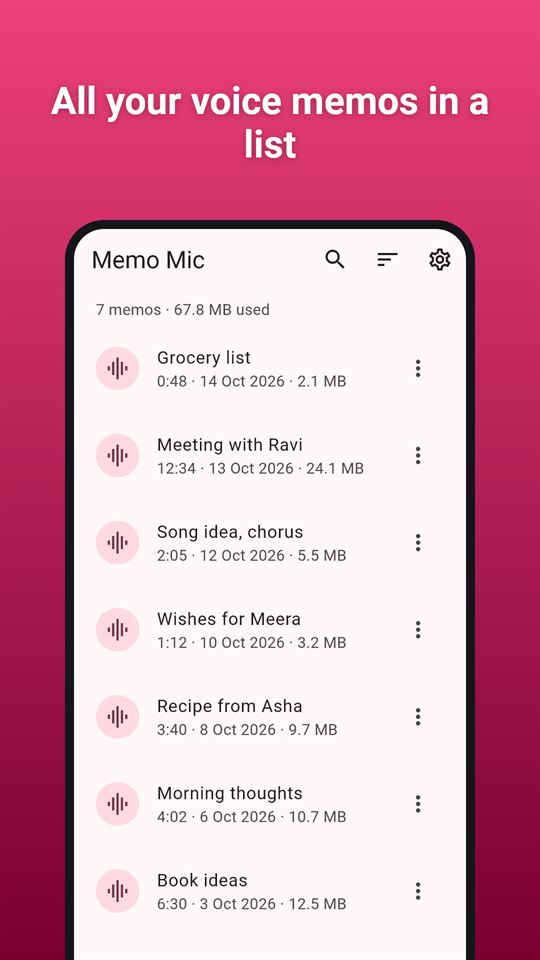
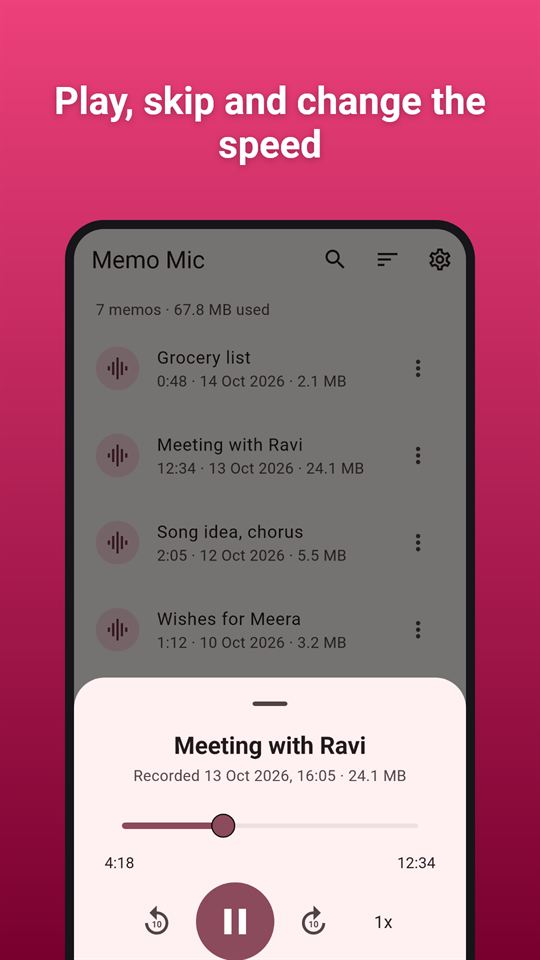
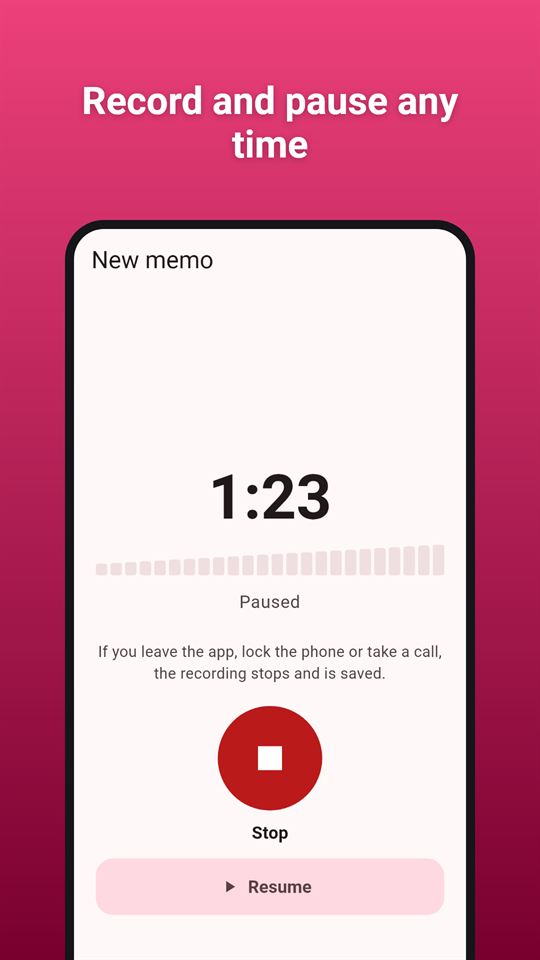
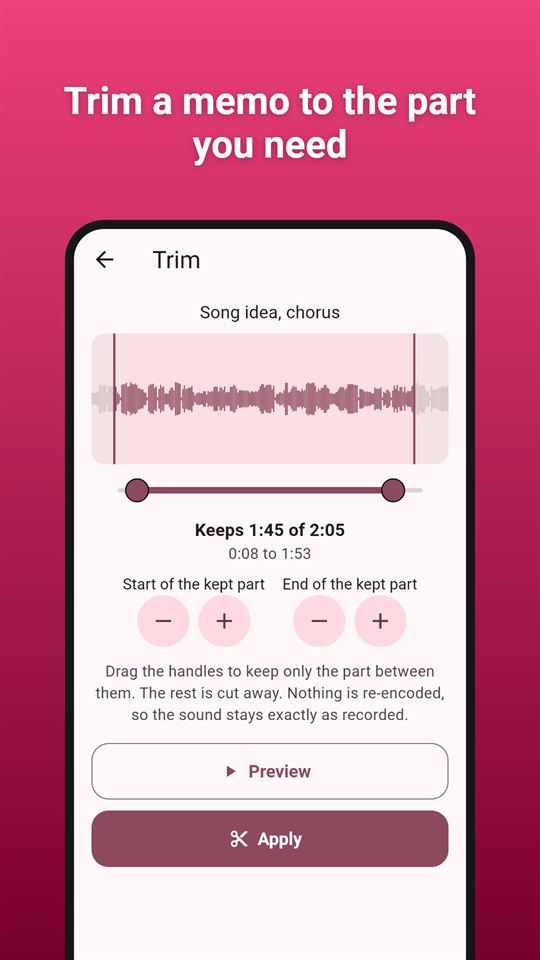
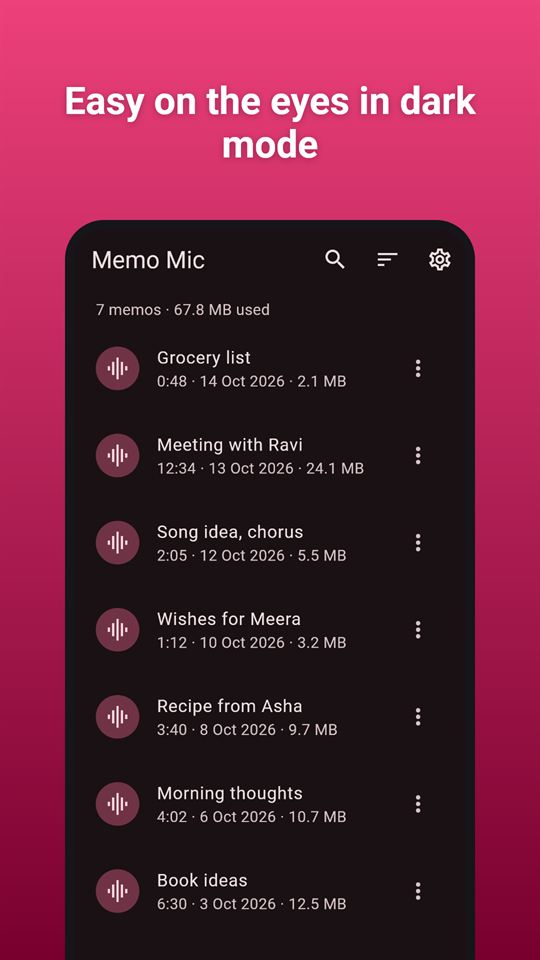
All your voice memos in a listPlay, skip and change the speedRecord and pause any timeTrim a memo to the part you needEasy on the eyes in dark mode
At a glance
Price
Free, with ads. No in-app purchases
Ads
A banner on the memo list and an occasional full-screen ad after you tap Done on a saved memo or finish a share; never while recording, playing or trimming, and no reward videos.
Account
No account or sign-up
Works offline
Recording, playback, trimming and the memo list all work without internet; only ads need a connection.
Permissions
Microphone - asked for on the first Record tap, used only while you record; Internet - to load ads and open the privacy policy; No storage permission - memos live in the app's own folder; Advertising ID - added by the Google AdMob SDK for ads
Your data
The app itself uploads nothing: memos leave the phone only when you share them; the Google AdMob SDK sends device and ad data to show and measure ads.
Storage
Memos are WAV files in the app's private folder on the phone, with names and settings stored alongside; there is no cloud sync, and Settings can delete all memos at once.
Requires
Android 7.0 or later
Developer
GlowVibe
Updated
2026-10-24
A simple voice recorder: tap once to record, tap again to stop. Your voice memo is saved and named for you.
Memo Mic is a voice recorder with no account, no sign-up and no cloud. Memos are kept on your phone, and you decide when one leaves it: the Share button hands the file to any app you choose.
Record
One big Record button; the memo is saved the moment you tap Stop
Pause and resume while recording
A live clock and level meter, and the screen stays on while you record (you can turn that off)
Memos are named automatically ("Memo 14 Oct, 21:30"); rename them right away or later
A warning before you start when the phone has less than 50 MB free
Play back
Play, pause and a seek bar with the time
Jump back or forward ten seconds
Speed 1x, 1.5x or 2x
Plays on the media volume and pauses for calls
Trim audio
Cut the start and the end away with two handles over a waveform of the memo
Preview the part you keep before you apply
Trimming is lossless: the kept sound is copied as it was recorded, never re-encoded
Keep the untrimmed original as a copy if you want
Your voice memos
Name, length, date and size of every memo
Search by name; sort by date, name or length
Rename, trim, share or delete from the list
See how much space your memos take, and delete everything at once in Settings
Plain wav files
This audio recorder saves standard WAV files (16-bit mono), so any editor, computer or service can open what you share. Choose the quality in Settings: 16 kHz (about 1.9 MB per minute), 22 kHz (clear speech, about 2.6 MB per minute, the default) or 44 kHz (about 5.3 MB per minute).
Good to know
As a voice recorder, Memo Mic works only while it is on screen. There is no background service: if you switch to another app, lock the phone or take a call, the recording stops and is saved.
No internet connection is needed to record, play or trim; only the ads use the network.
The microphone is the only permission the app asks for, and it is asked for when you first tap Record. Memo Mic has no storage permission: files live in the app's own folder and leave it only through the share sheet.
Memo Mic is free and contains ads: a banner on the memo list and an occasional full-screen ad after you finish a memo or share one. No ad appears while you record, play or trim.
Frequently asked questions
Is there a simple voice recorder app with no account and no cloud?
Memo Mic is a one-tap voice recorder for Android with no account, no sign-up and no cloud. Memos are saved on your phone as WAV files the moment you tap Stop, and they leave only when you share them.
How can I trim a voice recording on Android without losing quality?
Memo Mic trims memos losslessly: drag two handles over the waveform, preview the part you keep and apply. The kept sound is copied as recorded, never re-encoded, and you can keep the untrimmed original as a copy.
Which voice recorder app saves plain WAV files?
Memo Mic saves standard 16-bit mono WAV files that any editor or computer can open. You choose 16 kHz (about 1.9 MB a minute), 22 kHz (the default, about 2.6 MB) or 44 kHz (about 5.3 MB) in Settings.
Is Memo Mic free?
Yes, Memo Mic is free and contains ads: a banner on the memo list and an occasional full-screen ad after you finish or share a memo. There are no in-app purchases, and no ad appears while you record, play or trim.
Does Memo Mic record in the background or with the screen off?
No. Memo Mic records only while it is on screen and has no background service. If you switch apps, lock the phone or take a call, the recording stops and is saved, and the screen can stay on while you record.
How is Memo Mic different from other voice recorder apps?
Memo Mic keeps things simple: one big Record button, automatic names, lossless trimming and plain WAV files. It asks for no permission except the microphone, and playback has 10-second skips and 1.5x or 2x speed.
Does Memo Mic upload my recordings?
No. Memo Mic stores recordings in its private folder on your phone and never uploads them; a memo leaves only through the share sheet. It does not transcribe audio. Only the Google AdMob SDK collects ad data.